Foldr Files - the core

Every file. None of the filing.

Browse, edit, share, link, search across SMB, OneDrive, Drive, S3, SharePoint, Box, Teams and more. A signed-in person opens an SMB share with their own credentials, so the file server can still say no, and a share can filter every file by its ACLs too. Foldr adds its own permissions on top, so a link only ever carries what its creator could see.

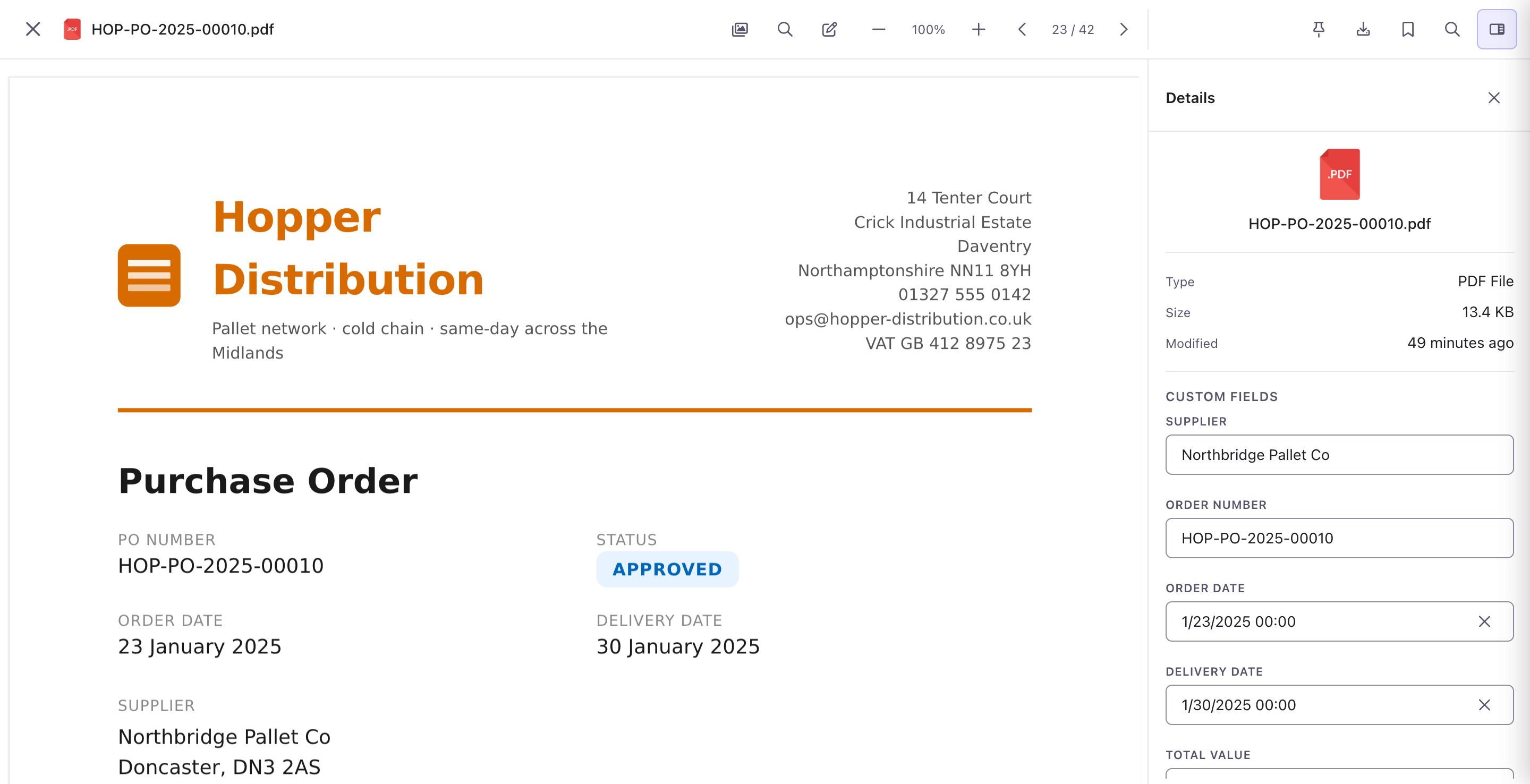
Edit, tag and preview a file without ever leaving Foldr.

Open a PDF and you’re in Foldr. Annotate, fill custom fields and, from the Business plan up, securely redact. Redactions are real: the content is removed, not painted over. The file stays where it lives.
Sharing

Browse, edit, share. The third one is where Foldr really shines.

Public links with passwords, expiry, and field collection. Hand-in folders for schools. Folio portals for clients. Email-to-folder inboxes. All against the storage you already have.

Public links

One link, many recipients.

Password-protect, time-expire, expire-on-download. Per-recipient permissions on one link: read for a partner outside, upload for the team, manage for an internal owner. (A password link and named outside recipients are two different kinds of link, so you pick one.) Optional custom fields collected before download.

Hand-in

Coursework collection without the spreadsheet.

Share one folder with the class. Foldr auto-creates a private subfolder for each student on first upload. Per-student deadlines, soft / hard / final. Tutor sees the lot, students see their own.

Folio

A portal for clients, with your branding on top.

External users sign in, see only what you’ve shared with them, never count against your seat total. Live files (not zip-by-email), per-client audit trail, field collection inherited. Folio is included with Enterprise and an add-on on Cloud Business.

Inbox + embed

Email-to-folder, and embedding.

Give a folder its own email address (from the Business plan up); attachments arrive sorted by your path rules. Or, on an appliance, let your website show a live Foldr folder in a frame.

How sharing works in Foldr

Every backend that matters

Microsoft, Google, Box, Dropbox, and any file server you can reach.

A connector takes a few minutes to set up. Most read auth from your existing identity provider, so end users don’t see a second login.

OneDrive
SharePoint
MS Teams
Google Drive
Google Shared Drives
Azure Blob
S3
Box
Dropbox
Backblaze B2 (S3)
SMB / CIFS
Edge agent
WebDAV
FTP / SFTP
Group Drives
and more

Don’t see yours? Most niche backends speak SMB, WebDAV or S3 underneath. Tell us what you’re running and we’ll confirm. On Foldr Cloud, a file server behind your firewall joins through the Edge agent, which only ever connects out.

Curious whether Foldr would fit?

Try it free for 30 days, no credit card. Or get in touch about self-hosting.